Start by dividing the room into zones
A lighting plan starts with what will be on screen, not with a list of fixtures. News and talk studios often have three presenting positions: the news desk, the interview corner and a standing position in front of the video wall. Give each zone its own lights, so the zones can be used separately and each can be recalled from the control room as its own scene.
The example room is about 5.6 m wide and 10.1 m long, with a 3.2 m ceiling. One layout that works at these dimensions:
- The set and video wall run along the 10.1 m long wall, and the cameras stand in front of the opposite wall.
- A news desk zone about 4 m wide sits in the middle, with an interview corner of about 3 m on one side and a video wall for standing presentations on the other.
- Presenters sit or stand about 1–1.5 m in front of the set, leaving roughly 2.5–3.5 m from camera to presenter.
- Three rows of rigging are planned on the ceiling: set lights in the row nearest the backdrop, back lights just behind the presenters, and key and fill lights between the presenters and the cameras.
- If you need deeper shots, the desk can move to a short wall; camera distance then grows, but the side zones get narrower.
Key, fill and back light for each presenting position
Each zone has the same three jobs: the key light that shapes the face, the fill that softens shadows and the back light that separates the presenter from the background. Because a news presenter looks straight into the camera, the key stays close to the camera axis, and the difference between the lit and shadow sides of the face is kept smaller than in an interview or a dramatic portrait.
News desk
If two presenters share the desk, give each their own key light; lighting two people evenly with one light is difficult. Key lights with softboxes sit in front of the presenters, close to the camera and above eye level. A broad, low-level fill from beside the cameras softens the shadows on the faces. Back lights come from just behind the presenters and separate hair and shoulders from the background.
Interview corner
The guest and the host turn towards each other, so their faces are shot from different angles. For two people sitting opposite each other, a cross-key layout saves both space and lights: each light shines from behind one person onto the face of the other, so one person’s key becomes the other’s back light. A low-level fill from the camera side softens the shadows. Check the light separately in the wide shot and in the singles.
Standing presenter and video wall
A standing presenter moves in front of the video wall. The key has to cover the whole walking area evenly, not a single spot; a large softbox or two overlapping lights work well. The higher the key, the closer to the floor the presenter’s shadow falls instead of on the wall. Under a low ceiling, height is limited, so the distance between presenter and screen matters even more; typically 1 m or more reduces the light and shadow falling on the video wall.
Rigging and placement under a 3.2 m ceiling
A low ceiling is not a blocker, but it leaves less room for error. With a grid or rails close to the ceiling, the centre of the fixtures usually ends up around 2.6–2.9 m high. A seated presenter’s eye level is about 1.2 m, so placing the key 2–2.5 m from the presenter horizontally gives light from roughly 30–40 degrees above the face.
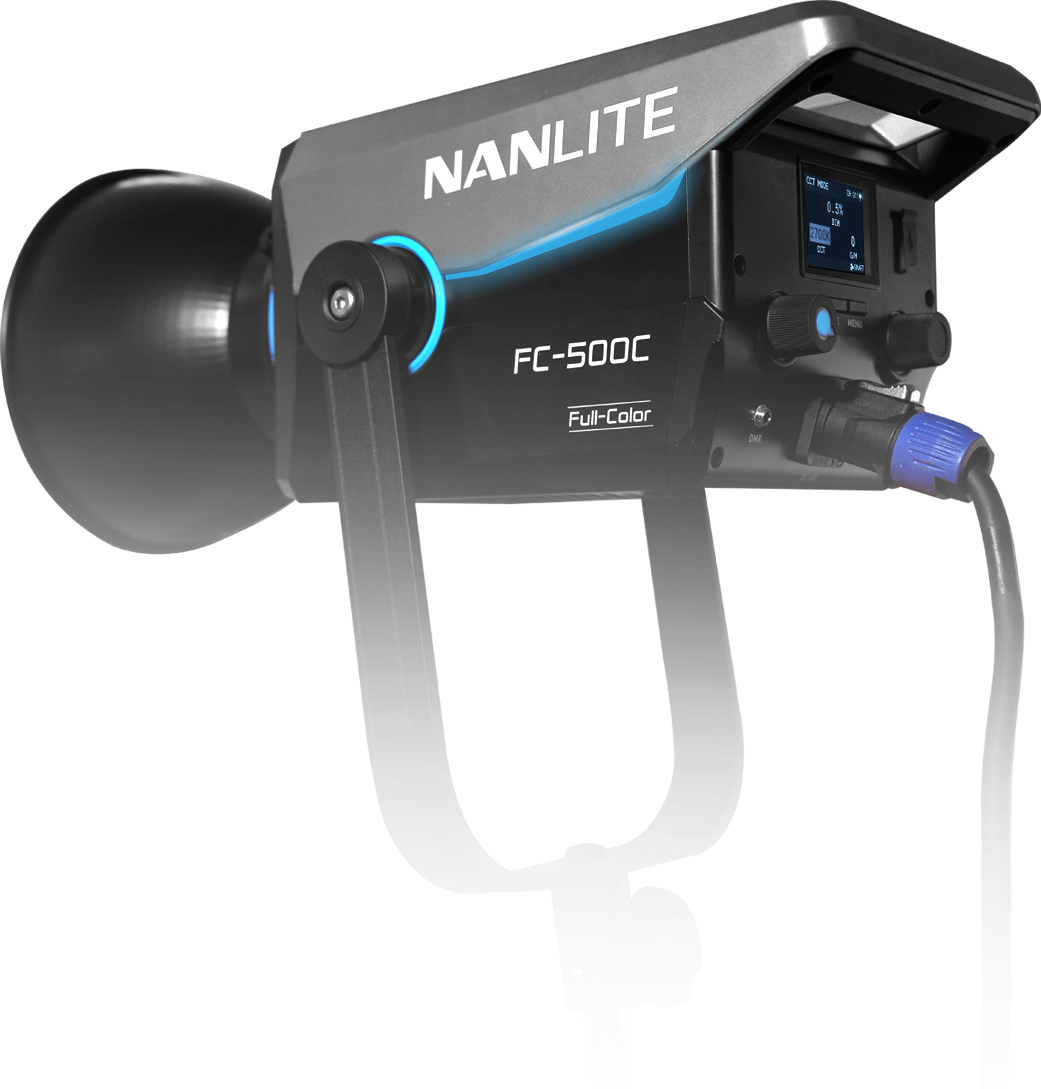
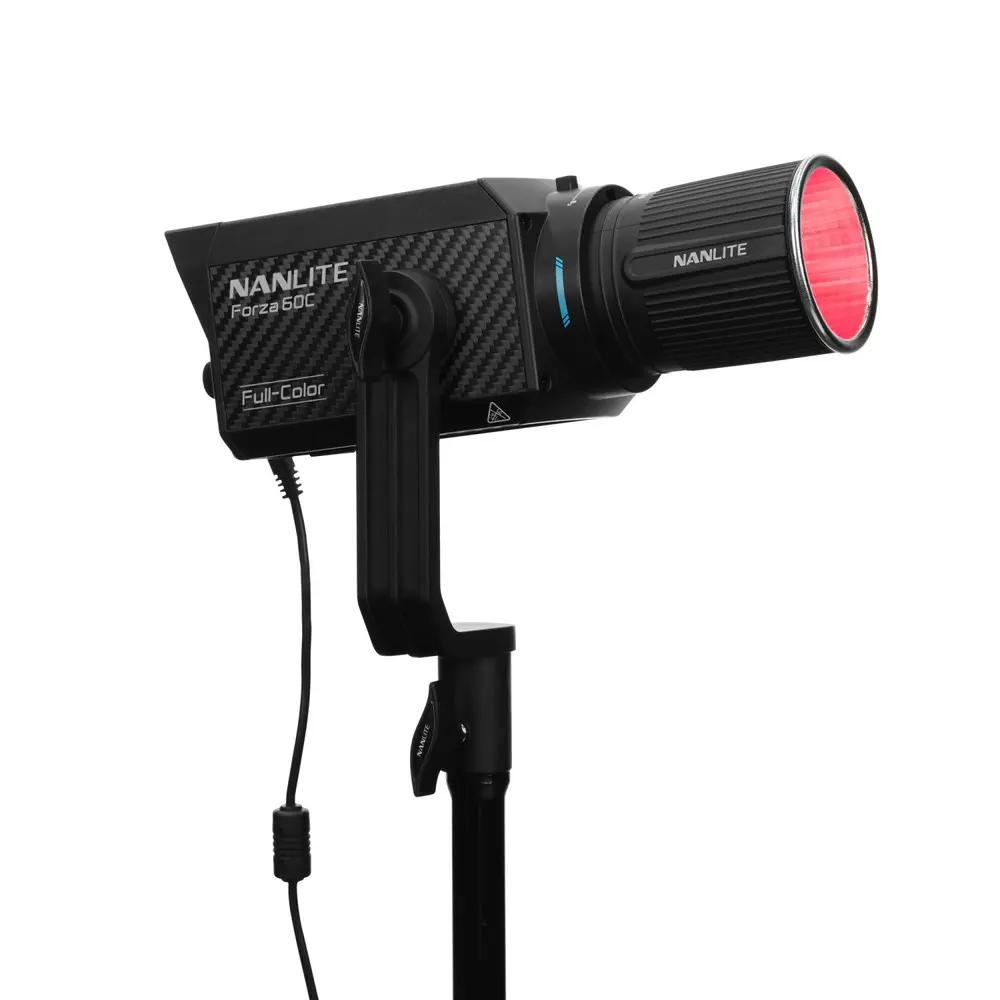
Choose slim, compact fixtures and short drops. Long drops bring the light down: the fixture enters the shot, the angle flattens, reflections in glasses increase and the presenter is dazzled. For example, the lamp head of the Nanlite Forza 60C measures 224 × 110 × 88 mm and weighs 1.08 kg. On the Nanlite FC-500C, the 1.55 kg power unit is separate from the lamp head. If you use softboxes, prefer shallow models.
Fix the camera positions and the widest shot before the lights, then check the wide shot on every camera. If a camera looks up at the presenter, the ceiling and fixtures enter the frame more easily. The flatter the angle of a back light, the more it spills into the lens; cut it with barn doors or a grid.
- Heat and air: LED fixtures give off far less heat than older tungsten lights, but heat still collects under the ceiling, and under a low ceiling the presenter is closer to the lights. Do not block ventilation openings, leave space between fixture and ceiling, and check that air-conditioning vents do not blow straight at the lights or the presenter.
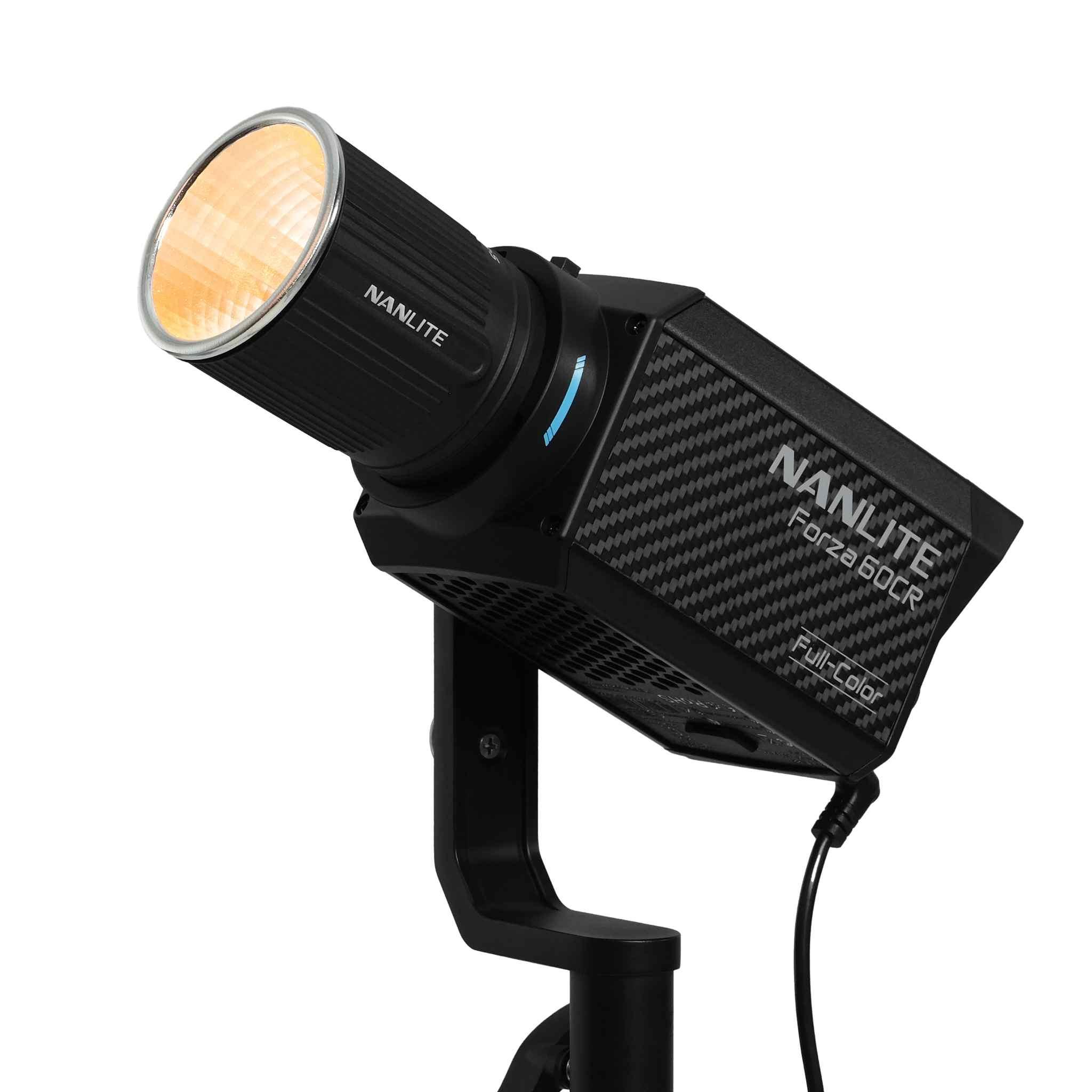
- Fan noise: under a low ceiling the lights are also closer to the microphones. The manufacturer gives about 22 dB(A) for the Forza 60C at low fan speed and 35 °C ambient; on the Forza 60CR the fan can be switched off, which limits output to 25%.
- Safety: set clearances to sprinklers and smoke detectors according to building rules. Fit a safety cable to every hung fixture; ceiling rigging must be done by competent people.
Colour: one white, accurate skin tones
In a news studio the most watched colour is skin. If the lights do not give the same white, the presenter’s face looks different from camera to camera, and the control room has to correct the difference at every cut.
Match the colour temperature
Choose one colour temperature for the studio and set every fixture to it. A method we use often in broadcast projects is to lock the whole system to one value, such as 5,600 K. Different light engines can show a slight green or magenta difference even at the same kelvin setting; measure it with a colour meter and correct it with the fixture’s green/magenta adjustment. Every model in the example list has this adjustment. White-balance the cameras after the lights are matched, against the same reference.
Video wall and monitors
The white point of the LED video wall and of any monitors in shot should also match the lights; otherwise whites on screen look bluer or yellower than the presenter’s shirt. Set screen brightness on camera, against the presenter’s exposure, not by eye. A wall that is too bright clips in the picture and throws coloured light onto the presenter’s shoulders; one that is too dim makes the set look lifeless.
Why do CRI and TLCI matter?
CRI describes how accurately a light shows colours to the human eye; TLCI describes how accurately it renders them for television cameras. A high TLCI means the cameras give accurate skin tones with less correction. The CRI/TLCI values the manufacturers state for the models in the example list: FC-500C 95/94, Forza 60C and 60CR 96/95 on average, Evoke 5C 98/98 on average. On the Phantom M tubes both values are 95 or above.
Keep uncontrolled light sources out of the broadcast: block daylight from windows with blackout curtains and switch off the room’s ceiling lighting while on air. These sources do not give the same white as the studio lights and can flicker on camera.
Flicker: test at broadcast settings
Some LED lights switch the light on and off very quickly to set their brightness. The eye does not see it, but depending on frame rate and shutter the camera can record it as banding, rolling or pulsing. LED video walls and monitors in shot can cause the same effect with their own refresh rates.
In Türkiye the mains frequency is 50 Hz and broadcasts are usually built on 25 or 50 frames per second. Test with the cameras, frame rate and shutter you will use on air. In a room with a low ceiling the lights often run at low output, and flicker can appear especially at low dimming levels, so repeat the test at those levels. If you will shoot slow motion at a high frame rate, test that setting too.
Watch the test recording on a large screen, not in the viewfinder; banding that goes unnoticed on a small screen shows up on a large one.
Control-room operation: DMX, RDM and stored scenes
Running every light from one console in the control room brings back the same lighting at the press of a button on every broadcast, and keeps the result the same when the crew changes. That is why we plan the DMX infrastructure together with the lighting design; at Diyanet TV we worked end to end, from ceiling rails to DMX automation.
In the example room each zone is stored as a separate scene:
- News desk: key, fill and back lights for the desk zone, plus backdrop and set lights.
- Interview: the interview corner lights, with the desk zone at a lower level.
- Standing presentation: the lights in front of the video wall.
- General: all zones together for the opening and close.
- Work light: for setup, rehearsal and cleaning.
Address plan and RDM
Keep each zone’s lights in consecutive address blocks, so grouping them on the console and adding lights later is easier. On fixtures that support RDM, address and mode can be set from the console and fixture status read back. In the example list the FC-500C, Forza 60CR and Evoke 5C are controlled over DMX/RDM, and the Forza 60C and Phantom M tubes over DMX.
Where does wireless DMX help?
Where cables are hard to run, such as inside the set or for lights that move often, LumenRadio CRMX wireless DMX makes the job easier. The Nanlite Forza 60CR has the receiver built in, and the Pheon Lux Phantom M tubes also have a built-in LumenRadio module. The Nanlux Evoke 5C, by contrast, needs a separate magnetic module for wireless CRMX. A CRMX transmitter connected to the console should also be in the plan.
Preparing for faults
During rehearsal, test how the lights behave when the DMX signal drops and when the console restarts. Back up the console’s show file, and share the address plan and scene list with the control-room team. For channels, addresses, RDM and network control, see our DMX lighting control guide.
Power and cable plan
The power plan starts with the lighting list: add up the rated power of every fixture and spread the load across circuits. In the example list most of the load comes from the 520 W FC-500Cs; the 88 W Forza 60Cs and 6 W Evoke 5Cs add much less to the total. Circuits and breakers must be chosen by the person responsible for the electrical installation.
- Put the lighting circuits on breakers separate from audio, camera and control-room equipment; a lighting fault should not take the broadcast off air.
- Switching many fixtures on at once can cause a surge of inrush current; switch the lights on in groups.
- Run DMX and power cables along separate routes where possible, and label both ends of every cable.
- Split DMX lines with a DMX splitter, not a Y-cable, and fit a terminator to the last fixture on each line.
- Plan in advance where the FC-500C power units will be mounted on the rig and how their cables will be dressed.
- In a permanent install, run battery lights inside the set from the mains: the Evoke 5C can be powered over USB-C, and the Phantom M tubes can also run from an AC adapter; check the package contents when ordering.
- Leave spare DMX outputs and power sockets for lights added later.
Reflections: glasses, glossy desks and screens
Reflections are often noticed only after installation, at the first rehearsal. Check them with the real presenter, the real set and the broadcast cameras.
- Glasses: under a low ceiling there is a limit to how high the key can go. Moving the light further to the side, or lifting the arms of the glasses slightly above the ears so the lenses tilt down, is usually enough.
- Glossy desk: light leaves a surface at the same angle at which it arrives. If the reflection lines up with the camera, move the light or change the camera height; the lasting fix is a matte desk top.
- Video wall and monitors: light falling on a screen turns blacks grey and lowers the picture’s contrast. Aim the keys at the presenter, not at the screen, and cut spill with barn doors or a grid.
- Fixtures reflected in a screen: if a light shows on a monitor’s surface, tilting the monitor a few degrees or moving the light solves it in most cases.
Set and background lighting
Set lighting adds depth and the channel’s identity to the studio. The basic rule is that the background stays slightly darker than the presenter’s face; the viewer’s eye goes to the brightest area first.
Columns, shelves, the logo and the desk front are picked out with separate lights. Full-colour lights add brand colours, but coloured light must not spill onto the presenter’s face or clothes. Place coloured lights close to the surface they light and away from the presenter.
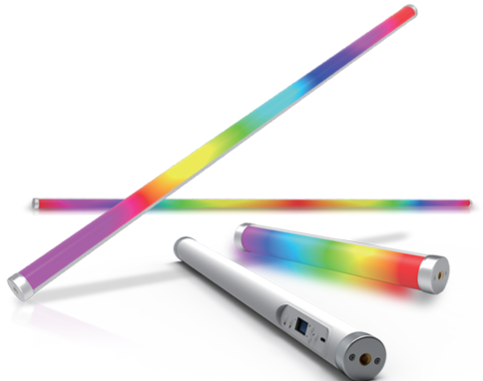
- Pheon Lux Phantom M pixel tubes suit lines visible in shot, the edges of set panels and the desk front; the magnet on the body makes them easy to fix to metal surfaces.
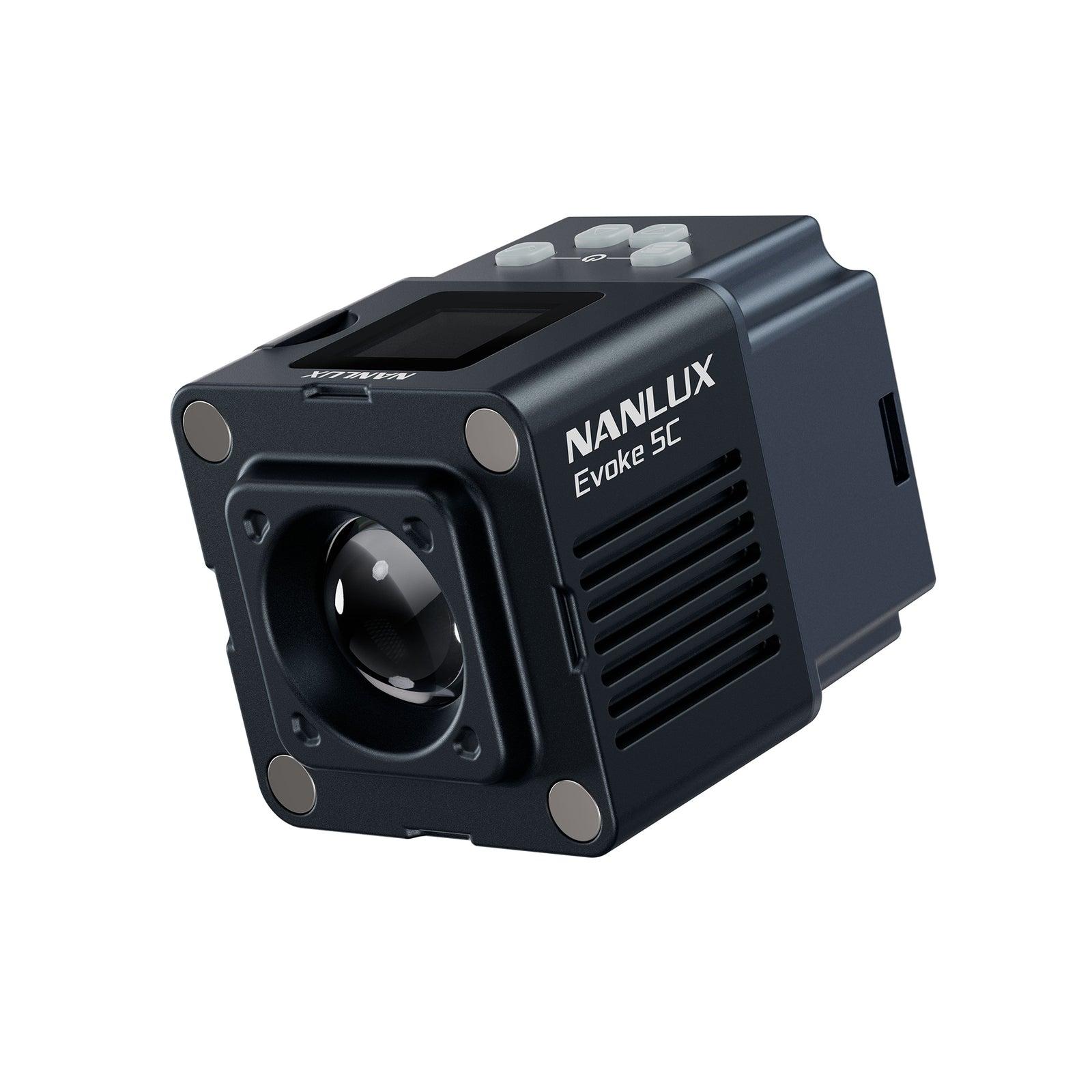
- At 160 g and 56 × 44 × 45 mm, the Nanlux Evoke 5C can be hidden inside shelves and small set pieces.
- With its RGBLAC full-colour engine and 1,800–20,000 K range, the Nanlite Forza 60C can wash the background wall and the logo with coloured light.
- Pixel effects can distract during the news; use moving effects for titles and transitions, and stay on static colours while the news is being read.
Equipment list for the example room
The list below is a starting point for the three zones in the 5.6 × 10.1 m example room; it is not a quote, and the quantities are examples. The exact number of fixtures, their positions and accessories are set during the site survey, once the room’s exact dimensions, camera angles and set have been seen.
For the key lights we chose the Nanlite FC-500C, which has DMX/RDM and a Bowens mount; we explain how it differs from the FS-300C in our FS-300C vs FC-500C comparison. When comparing fixture output, our lux and watts guide can help.
True Medya is the Türkiye distributor of Nanlite, Nanlux and Pheon Lux. For the items that drive the budget, see our studio build cost guide; for a turnkey installation with rigging, mounting, training and 2 years of full technical support, see our TV and news studio installation page.
| Zone and job | Example product | Example quantity | Note |
|---|---|---|---|
| News desk: key | Nanlite FC-500C + softbox | 2 | One light per presenter |
| News desk: fill | Nanlite FC-500C + large softbox | 1 | Beside the cameras, at low level |
| News desk: back light | Nanlite Forza 60C | 2 | Compact 1.08 kg head, DMX |
| Interview corner: key and back light | Nanlite FC-500C + softbox | 2 | Cross-key layout |
| Interview corner: fill | Nanlite Forza 60C + softbox | 1 | Bowens adapter in the box |
| Standing presenter: key | Nanlite FC-500C + large softbox | 1–2 | Must cover the walking area evenly |
| Standing presenter: back light | Nanlite Forza 60CR | 1–2 | Built-in LumenRadio CRMX; no DMX cable needed |
| Set lines and desk front | Pheon Lux Phantom M | 4–6 | Pixel-controlled RGBWW tube |
| Small accents inside the set | Nanlux Evoke 5C | 2–4 | Powered over USB-C |
| Backdrop and logo | Nanlite Forza 60C | 2 | RGBLAC full colour |
| Control | DMX console or software, DMX splitter, CRMX transmitter | 1 set | Scene storage and backup |
Pre-air checklist
Run the check as a short rehearsal broadcast: the opening, news desk, interview, standing presentation and closing scenes are recalled in order, and the recording is watched on a large screen. For other handover items, see the list in our what you need to build a studio guide.
- Each zone recalled with its own scene, transitions between scenes tested
- All lights measured at the same colour temperature, green/magenta differences corrected
- White point and brightness of the video wall and monitors checked on camera
- Flicker tested at broadcast frame rate and shutter, at low and high output
- No fixtures, rigging or cables visible in any camera’s wide shot
- Glasses, desk and screen reflections checked with the real presenter
- Fan noise heard through the real microphone placement
- Daylight blocked, the room’s ceiling lighting off while on air
- Light behaviour tested with the DMX signal lost, console show file backed up
- Safety cable on every hung fixture, cables labelled
Frequently asked questions
Is a 3.2 m ceiling enough for a news studio?
It can be, with the right fixtures and layout. Compact fixtures, short drops close to the ceiling and rigging planned around the camera angles keep the lights out of shot. Measure the clear height under beams, air ducts and sprinklers; we check this together during the free site survey.
Should all the lights be at the same colour temperature?
For the lights on the face, yes. If the key, fill and back lights do not give the same white, skin tones change from camera to camera. Set and background lights can be coloured, as long as the colour does not spill onto the presenter’s face.
Does an LED video wall light the presenter?
It does, but without control: as the picture on screen changes, so does the colour falling on the presenter’s shoulders and face. Do not count the video wall as a light source; set its brightness on camera and keep the presenter far enough from the screen.
Do the lights have to be run from the control room?
On a simple single-presenter set, app control can be enough. In a news studio with several zones, cameras and shows, scenes stored over DMX bring back the same lighting at the press of a button on every broadcast and keep the result the same when the crew changes.
Can we use our existing lights in the new plan?
Yes, if they are suitable in terms of colour temperature, colour accuracy, flicker and DMX support. Share the model list and we will decide together during the site survey which lights can be kept.